Why Your Virtual Office Shouldn't Feel Like a Game
RPG-style avatars and pixel art maps look fun at first, but they're why most virtual office tools quietly die. Here's what actually works for hybrid teams.
Why Your Virtual Office Shouldn’t Feel Like a Game
Is your team’s virtual office tool still open right now, or did it quietly get abandoned three months after you paid for it?
For a lot of Japanese SMEs that tried tools like Gather.Town, oVice, or MetaLife, the answer is the second one. And the reason is almost always the same: the tool felt like a game, and nobody wanted to play it at work.
The pixel art problem
Game-style virtual offices have a certain appeal on day one. You pick an avatar, walk it around a pixel-art floor, and wander into a meeting room. It feels novel. Maybe even a little fun.
But “fun” and “frictionless” are not the same thing.
By week three, the novelty is gone and what’s left is the friction: moving your avatar every time you sit down, getting accidentally pulled into a voice call because you walked too close to a colleague’s desk, watching your older coworkers struggle to understand why they have to “walk” anywhere just to check if someone is available.
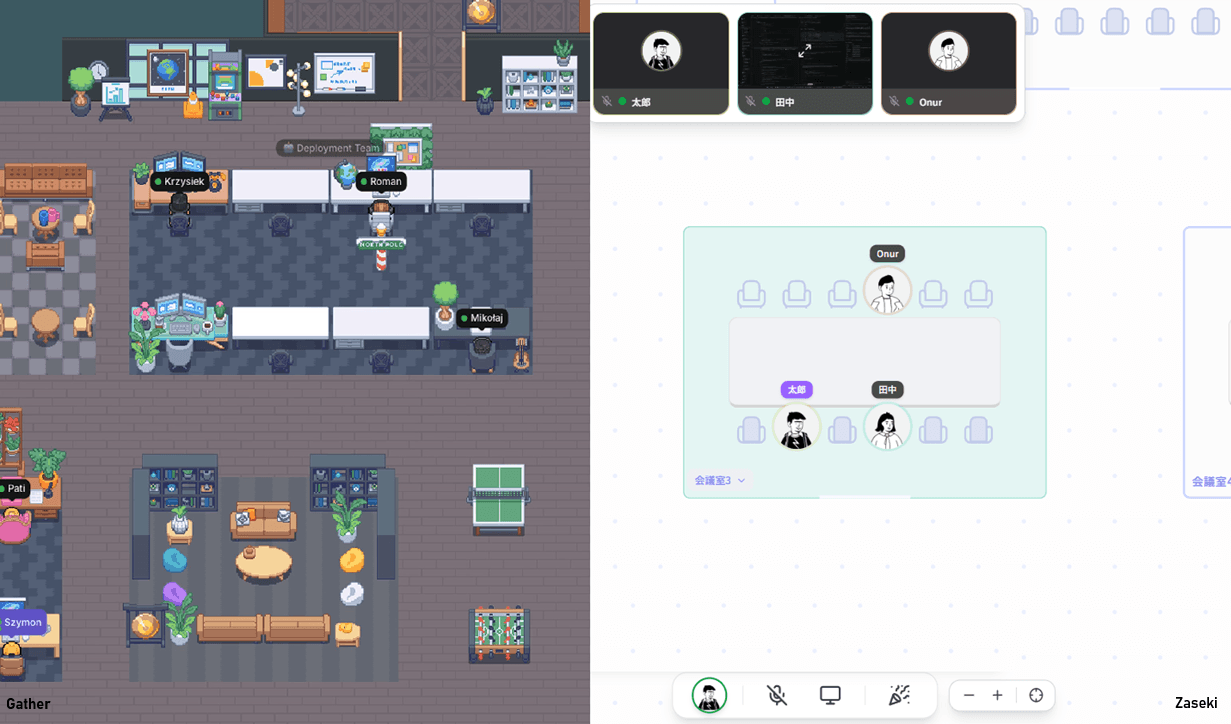
The tools weren’t bad. They were just designed for the wrong goal. Game UX is built to pull you in and keep you there. Work tools need to do the opposite: let you check what you need and get out of the way.
What actually needs to happen in a virtual office
Strip away the aesthetics and think about what hybrid teams actually need from a virtual office tool.
- Know who is at their desk right now
- Know if someone is free to talk
- Start a quick conversation without a lot of ceremony
- Log presence for telework compliance if needed
That’s basically it. None of those four things require an avatar. None of them require a pixel art map. They require a clear, fast UI that shows presence status and makes it easy to reach out.
In a physical office, you glance across the room. You don’t walk your character sprite over to a coworker to see if they’re busy. The virtual equivalent of that glance is a seating chart, not an RPG.
Why game-like tools stop getting used
The pattern of adoption and abandonment for game-style virtual offices is almost predictable.
A few enthusiastic team members drive the rollout. Usage is decent in the first few weeks. Then someone complains it’s slow on their PC. Then someone else says they don’t really get how it works. The tool starts requiring more energy than it saves, and gradually, people drift back to Slack and Zoom.
This isn’t a people problem. It’s a design mismatch. Tools with high learning curves only survive when the payoff clearly justifies the cost. For something as mundane as “knowing if your teammate is at their desk,” the payoff has to be essentially instant.
The seating chart approach
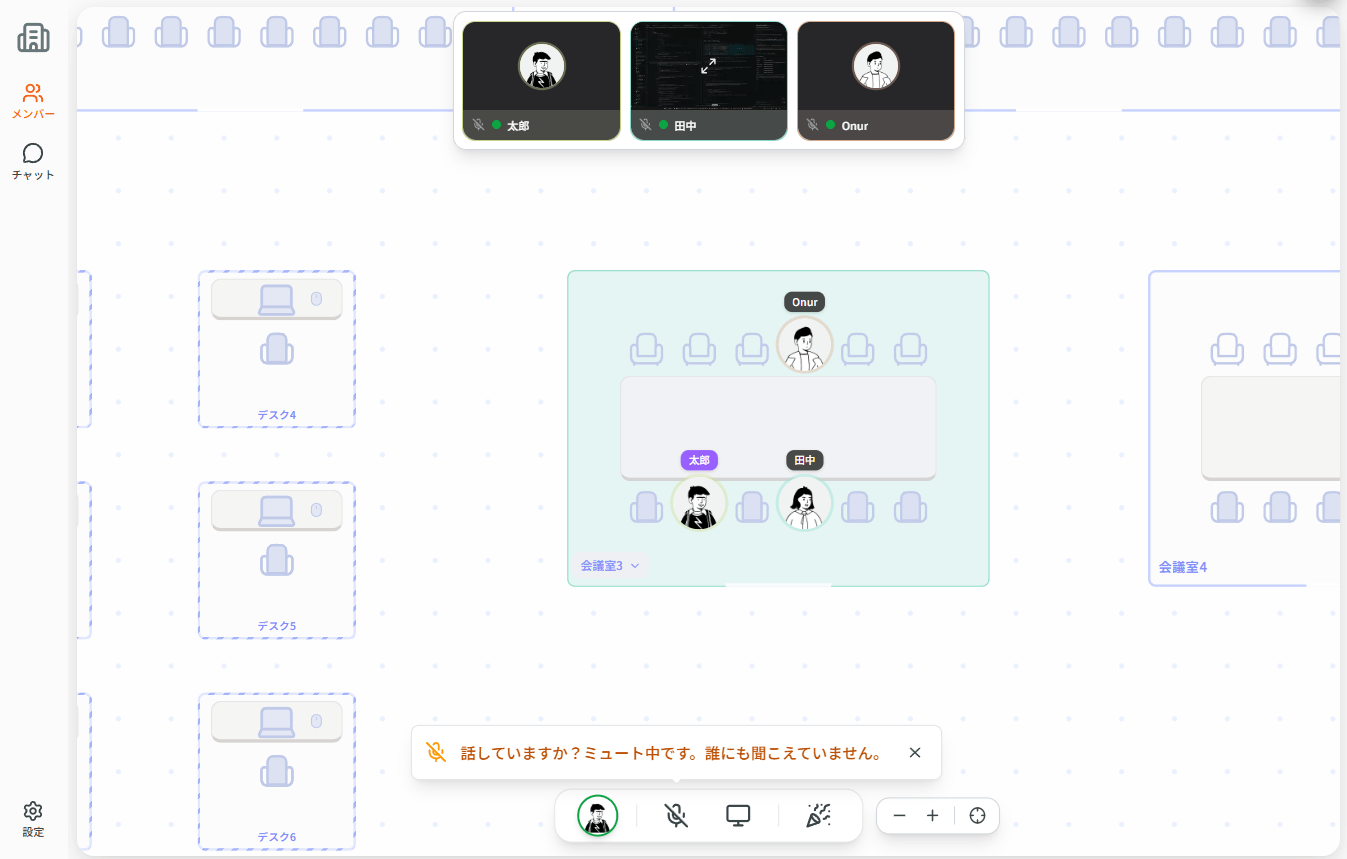
Zaseki was built on a different starting point: what if the virtual office looked like an actual office seating chart, not a game world?
No avatars walking around. No pixel art. No proximity-based audio that activates without warning. Just a 2D floor plan where each seat shows who’s there and what their status is.
Voice calls are fully on-demand. Logging into Zaseki does not connect your microphone, and camera is not part of the default “in the office” experience either. Everyday presence is the seating chart and your photo tile, not an always-on video expectation. If you want someone’s attention, you send a “ちょっとよろしいですか?” style ping, the equivalent of tapping someone on the shoulder. They get a knock-style notification; voice stays off until you connect on purpose (meeting room, meet link, or intentional join). That’s it.
For teams that need telework attendance records (increasingly common under Japan’s 2025 revised childcare leave law), there’s an optional clock-in/out log with CSV export. It handles the compliance paperwork without requiring a separate tool.
The tools that last are the ones nobody has to think about
The real test of a workplace tool isn’t how impressive the demo looks. It’s whether the 52-year-old section chief opens it every morning without being reminded.
That requires zero learning curve, no performance issues on modest hardware, and no UI decisions that make someone feel like they’re playing a video game at work.
Zaseki runs in a browser, requires no install, and is deliberately boring to look at in the best possible way. Presence is visible, voice is available when you need it, and the tool stays out of the way the rest of the time.
If your team tried a virtual office and quietly stopped using it, it might not have been the concept that failed. It might have been the controls. zaseki.cloud offers a free plan for teams of four or fewer, no time limit.